What is a webhook endpoint?
A webhook endpoint is a URL that receives webhook event notifications and can trigger an action based on the payload sent in the message. It is the receiving side of a webhook integration: the sender detects that an event occurred, then delivers an HTTP POST request with a webhook payload to the endpoint you registered.
Unlike a traditional API endpoint, which receives requests and sends back responses, a webhook endpoint is push-based: the sender delivers data to it when an event happens, instead of waiting for your application to request it. This lets an integration receive real-time updates without constantly polling an API and comparing responses to see what changed.
Webhook endpoint vs. webhook URL vs. webhook
These three terms get used interchangeably, but they refer to different things.
| Term | What it refers to |
|---|---|
| Webhook | The event notification itself: the message that gets delivered. |
| Webhook URL | The address the sender delivers to, sometimes called a callback URL. See webhook URL. |
| Webhook endpoint | The route on your server that lives at that URL: the code that accepts the request, verifies it, and acts on the data. |
In practice, if you say any of the three most developers will know what you mean.
Webhook endpoint vs. API endpoint
A webhook endpoint and an API endpoint are both routes on a server, but they work in opposite directions. An API endpoint waits for a client to make a request and then returns a response; a webhook endpoint waits for the sender to push a notification when an event happens. That difference is why webhooks remove the need to poll a REST API on a timer just to find out whether something changed.
| Webhook endpoint | API endpoint | |
|---|---|---|
| Who initiates | The sending application | The client / API consumer |
| Direction | Receives notifications (push) | Receives requests, returns responses (pull) |
| Trigger | An event occurs on the sender's side | A client needs data on demand |
| Communication style | Event-driven | Request/response |
| Typical use | Real-time updates without polling | Fetching or writing data on request |
Webhook endpoint examples
Most APIs you already use deliver to webhook endpoints. A few concrete examples:
- Stripe: when a customer finishes paying, Stripe sends a
checkout.session.completedevent as an HTTP POST to the endpoint URL you register in its dashboard, so your application can fulfill the order. - GitHub: when someone pushes commits, GitHub delivers a
pushevent to the endpoint configured for that repository, which a CI integration can use to start a build. - Slack: when a message matches your app's subscription, the Slack Events API POSTs an
event_callbackpayload to your configured request URL.
In every case the endpoint is the same thing: a route on your server that accepts the POST, verifies it, and acts on the data. The event names and payloads differ per provider, but the receiving pattern does not.
How to create a webhook endpoint
At its simplest, a webhook endpoint is a route on your web server that accepts POST requests and returns a 2xx status code. A minimal Express example looks like this:
app.post('/webhooks', (req, res) => {
  // Verify the signature before trusting the payload (see below)
  processEventAsync(req.body);
  res.status(200).send();
});
A production endpoint needs more than this sketch: signature verification, fast acknowledgment with asynchronous processing, and duplicate handling. Our first webhook endpoint tutorial builds a complete receiver in Node.js, Python, and Go, and the receiving best practices guide covers the operational details.
What makes a good webhook endpoint
Senders expect three things from your endpoint. It must be served over HTTPS, since webhook payloads routinely contain data you would not want intercepted. It must respond quickly, typically within a few seconds, or the sender will consider the delivery failed; see webhook timeouts for how senders handle slow endpoints. And it must return a 2xx response only after it has durably accepted the message, because that status code is what tells the sender not to retry the delivery.
The standard pattern is to verify the request, persist or enqueue the event, respond immediately, and do the real processing in the background. Doing heavy work inline is the most common cause of webhook timeouts.
Registering your endpoint with a sender
Once your endpoint exists, you register its URL with the sending service. Here's an example of what a UI for adding webhook endpoints looks like:
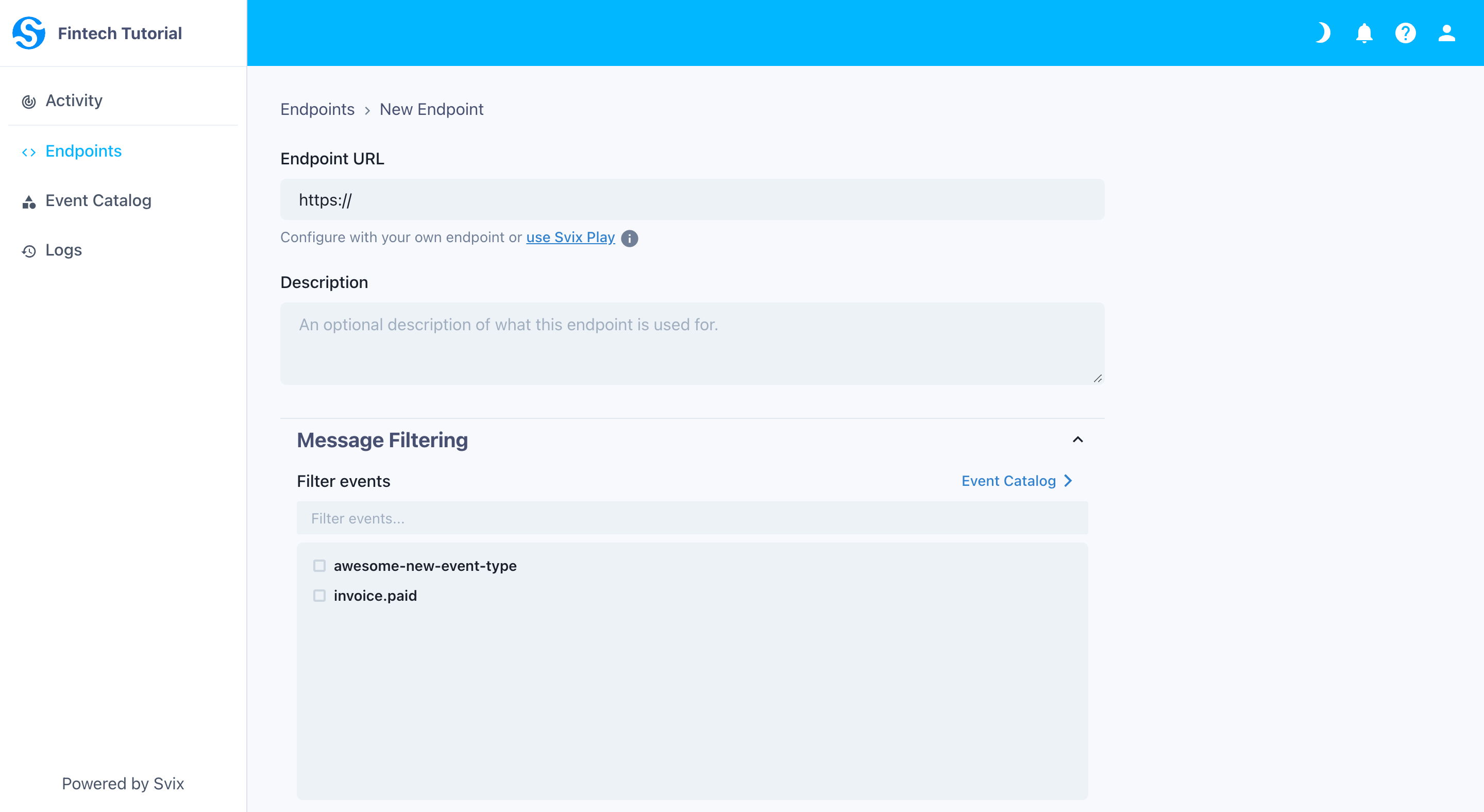
To start receiving webhook messages, you provide the endpoint's URL and select which event types you'd like to receive messages for. Subscribing only to the events you actually handle keeps noise down and reduces the traffic your endpoint has to absorb.
Securing a webhook endpoint
A webhook endpoint is a publicly reachable URL that accepts POST requests, so anyone who discovers it can send requests to it. Before trusting any delivery, your endpoint should verify the webhook signature: the sender signs each payload with a shared secret, usually via HMAC, and your endpoint recomputes the signature to confirm the request is authentic and unmodified. Timestamp verification protects against replay attacks, where an attacker re-sends a legitimate captured request.
For the full picture, including why basic auth and API keys in URLs are poor fits for webhooks, see webhook authentication and our webhook security best practices.
Testing a webhook endpoint
The fastest way to see webhooks in action is Svix Play, a free tool that gives you a test endpoint you can send webhooks to and inspect the headers and payload of every delivery.
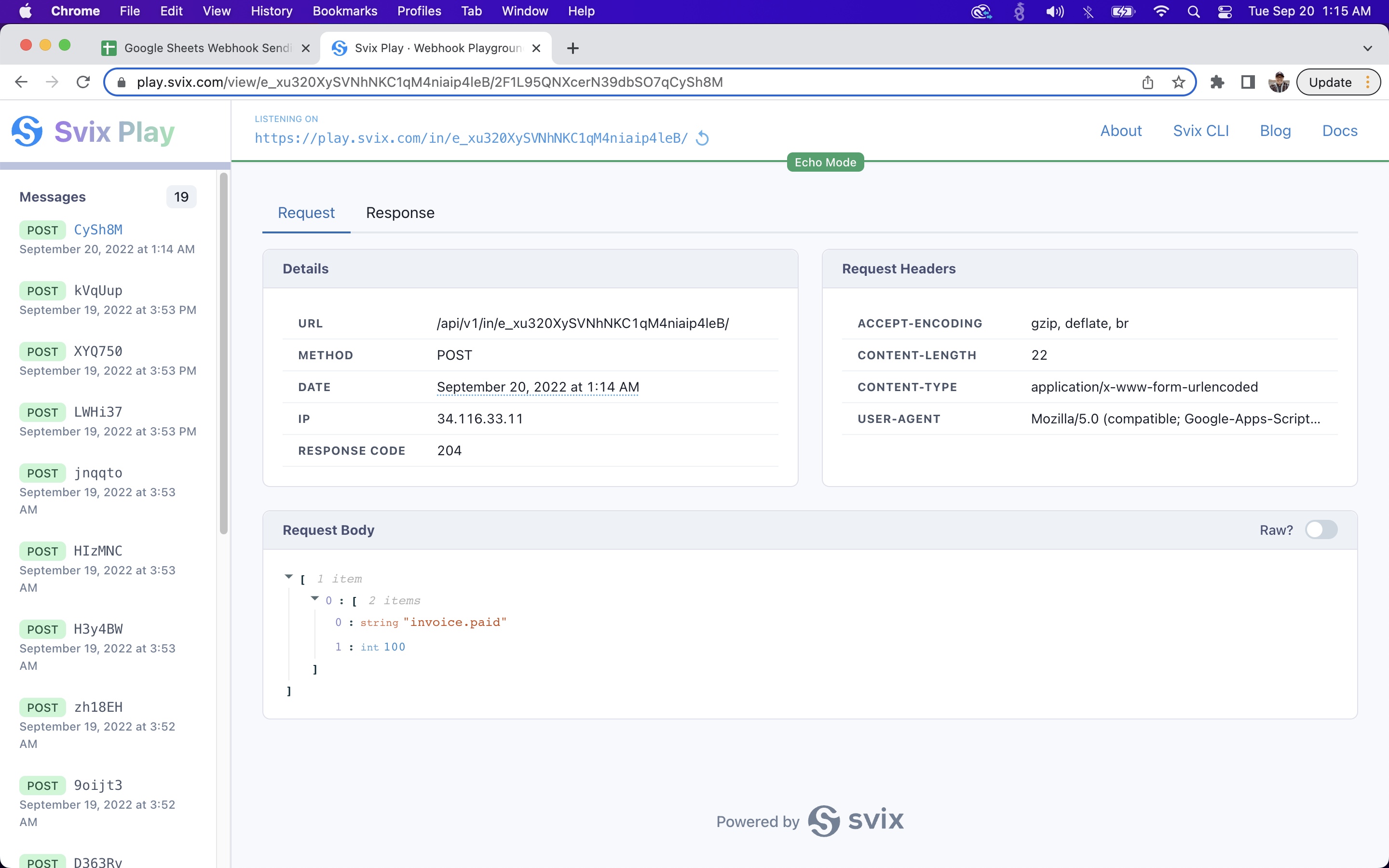
For endpoints running on your own machine, the challenge is that senders need a publicly reachable URL and your laptop does not have one. Our webhook testing guide covers the options, from tunneling tools to test senders.
Common webhook endpoint problems
Three issues account for most webhook endpoint bugs. Timeouts happen when the endpoint does slow work before responding, which causes the sender to retry and can snowball into duplicate processing. Duplicate deliveries are normal even for healthy endpoints, since senders retry on any ambiguous failure, so endpoints should deduplicate using the event ID; see idempotency and deduplication. And out-of-order arrival surprises endpoints that assume events come in sequence: retries and parallel delivery mean they may not, so rely on timestamps in the payload rather than arrival order.
For code samples of production-ready webhook endpoints, check out our documentation on receiving webhooks.
Frequently asked questions
Is a webhook endpoint the same as a webhook URL?
Not exactly. The webhook URL is the address a sender delivers to. The webhook endpoint is the code on your server that lives at that URL and accepts, verifies, and processes the request. In everyday conversation the two terms are used interchangeably.
What is the difference between a webhook endpoint and an API endpoint?
A webhook endpoint only receives notifications: the sender pushes an HTTP POST when an event happens. A traditional API endpoint works the other way around, receiving requests from clients and returning responses. Webhooks are push-based, so you do not have to poll for changes.
Does a webhook endpoint have to be publicly accessible?
Yes. The sending service needs to reach your endpoint over the public internet, so it must be served over HTTPS at a publicly resolvable URL. For local development you can expose your machine with a tunneling tool or use a hosted test endpoint like Svix Play.
What HTTP method and response does a webhook endpoint use?
Webhook endpoints accept HTTP POST requests and should return a 2xx status code once they have durably accepted the message, usually within a few seconds. Returning 2xx tells the sender the delivery succeeded so it will not retry.
How do I test a webhook endpoint?
The quickest way is Svix Play, a free hosted endpoint that shows the headers and payload of every webhook it receives. To test an endpoint running on your own machine, expose it with a tunneling tool so the sender has a public URL to deliver to.