Introducing Webhooks AutoConfig

- Name
- Luciano Bianchi
We care a lot about making webhooks easy to use, for both senders and receivers. Webhooks are extremely powerful, and generally simple, but configuring and managing them is still a pain.
Today we are launching Webhooks AutoConfig, which we believe makes it much easier to consume webhooks.
Setting up a webhook endpoint is a pain
To start consuming webhooks, you first need to deploy a new route in the receiving server and then create an endpoint in the webhooks management UI. At that point, the webhook signing secret is not verified. Once the endpoint is created in the UI and the signing secret is known, you need to make a second deployment to wire in the signing secret.
The other way around, if you create the endpoint in the UI before your handler is live, deliveries will fail until you deploy the handler with the correct signing secret.
Updating the configuration is even more of a pain. To start receiving a new event type, you have to deploy a code change to handle the new type, then manually update the endpoint settings in the webhooks management UI. There is no mechanism to sync the configuration in the UI with your code, so your code can easily get out of sync with the endpoint configuration and cause deliveries to fail.
Another frequent issue is that the engineer working on the receiving server often lacks permissions to access the webhooks management UI, so they have to connect with different teams to get them to update the endpoint configuration.
This adds a lot of friction to receiving webhooks. We felt like there had to be a better way.
Introducing: Webhooks AutoConfig
Webhooks AutoConfig is a declarative way to configure webhooks. Instead of configuring webhooks subscriptions in the UI, it's done in code, and automatically stays up to date as the receiver code updates.
Webhook receivers declare their endpoint configuration using the Svix SDK (or your SDK if you have one), and AutoConfig updates the subscription programmatically, without any manual updates in the webhooks management UI.
AutoConfig also handles signature verification, so receivers don't need additional deployments to get that to work.
How to use it
Webhook consumers can now select the AutoConfig option when creating a new endpoint in the Consumer Application Portal.
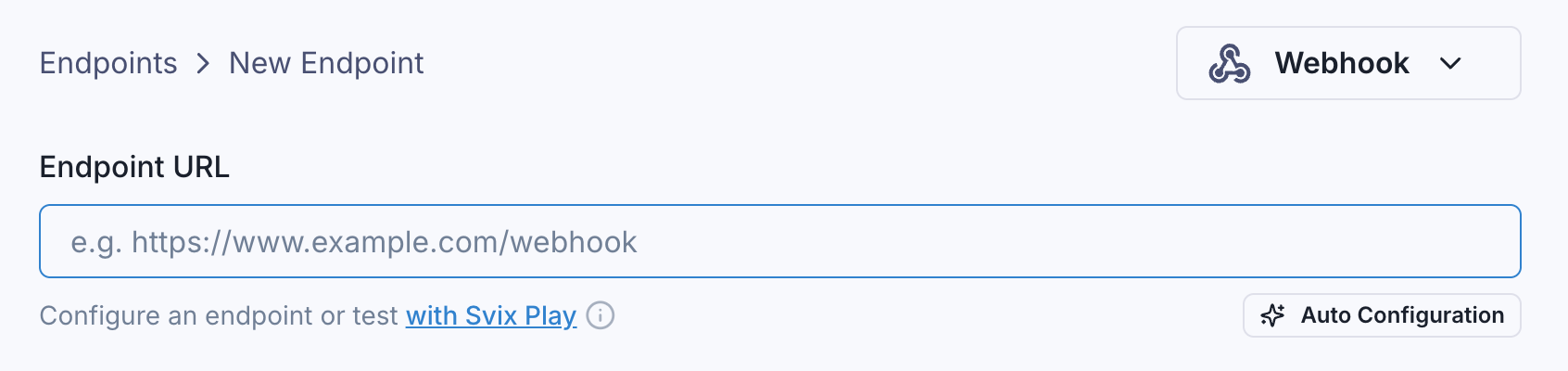
When selected, they will receive a configuration token.
They then use the Svix SDK to configure the endpoint:
import { AutoConfig } from 'svix'

const webhook = new AutoConfig({
  token: '<AUTOCONFIG-TOKEN>',
  url: 'https://myservice.com/webhook',
  eventTypes: ['invoice.created'],
})

await webhook.subscribe()
Calling subscribe() will create or update the endpoint with the given configuration.
subscribe() can be part of the app deployment or startup process, or a CI/CD step. This ensures that the endpoint configuration is always in sync with the code, without needing to manually update the subscription in the webhooks management UI.
Signature Verification
Signature verification is built-in. AutoConfig already contains the endpoint signing secret, so it can be used to validate incoming webhooks, with no additional deployments.
Using the same AutoConfig instance, we can do something like this in the webhook handler:
function webhookHandler(req, res) {
  const msg = webhook.verify(req.body, req.headers)
  // Do something with the message...
  res.json({})
}
Updating our webhook handler to deal with a new event type is as simple as adding the new event type to the eventTypes array, and updating our webhookHandler implementation.
Wrapping up
Our goal with AutoConfig is to make webhook configuration and consumption significantly easier, enabling people to manage and update their endpoint configurations without needing to click through a UI. In our internal testing it's been a game changer, and we are looking forward to seeing how everyone uses it!
Webhook AutoConfig is included for free in all Svix plans, and is supported by all of the SDKs. To let your customers use it, enable it for your production environment from the Svix dashboard.
For more information, please refer to the Webhooks AutoConfig docs.
For more content like this, make sure to follow us on Twitter, Github, or RSS for the latest updates for the Svix webhook service, or join the discussion on our community Slack.
Ready to send webhooks?
Svix is the enterprise ready webhook service. Build a secure, reliable, and scalable webhook platform in minutes.